Started September 2026 · In development; used in Linberry and Osmanthus

I was building native iPhone and Mac apps with AI agents. Each app needed its own tools and data, but much of the agent code was the same: connect to models, save conversations, run tools and handle media.
I built ForwardAgentKit to reuse that code across my apps. It is a Swift package with an agent runtime, AI services, and native chat and settings components. Each app supplies its own tools and context, and controls its data, credentials and permissions.
The name borrows from Forward Deployed Engineering. The idea is to bring the agent into the app, where it can work with the app’s own tools, data and workflows. Linberry and Osmanthus are two apps I built with it.
Supports iOS 17+ and macOS 14+.
What “embedded” means
The app hosts the Agent session and supplies its instructions, context and tools. A language tutor can expose saved learning points; another app can expose a selected directory or calendar operations. The Agent works through those registered capabilities.
Embedded execution does not mean on-device model inference. Models run through configured cloud providers or a local model server. Credentials stay under the host app’s control, and content sent to a model depends on the tools and context the app enables.
Architecture and reusable components
The Agent engine uses a pinned Pi runtime inside an embedded WKWebView. A native Swift HTTPS bridge handles streaming model transport, while Swift executes host tools and owns persistence. Direct AI service APIs run in Swift without requiring an Agent conversation.
Seven library products share one independently versioned Swift Package:
| Component | Responsibility |
|---|---|
| ForwardAgentKit | Agent sessions, typed events and context, tools and skills, persistence, recovery and AI service adapters. |
| ForwardChatUI | SwiftUI conversations, streaming Markdown, attachments, interactive choices and drafts, media previews and sharing. |
| ForwardAISettingsUI | Provider connections, model selection and capability-specific priority settings. |
| ForwardLocalServices | Typed access to supported Apple system services, usable independently of the Agent runtime. |
| ForwardLocalPermissionsUI | Permission settings and user-initiated preparation for local access. |
| ForwardLocalToolsUI | Native file and media presenters, plus a developer tool inspector. |
| ForwardMacServices | Optional Mac context and scoped Finder, Notes and Accessibility integrations. |
Apps can adopt the runtime with their own UI, use the shared screens, or call typed services directly. SwiftPM consumers receive the bundled runtime resources without needing Node to build their app.
AI capabilities and native tools
The same typed Swift implementations can be called by app code or exposed as Agent tools:
- Language and research: text generation, structured decisions, web search, page extraction and embeddings.
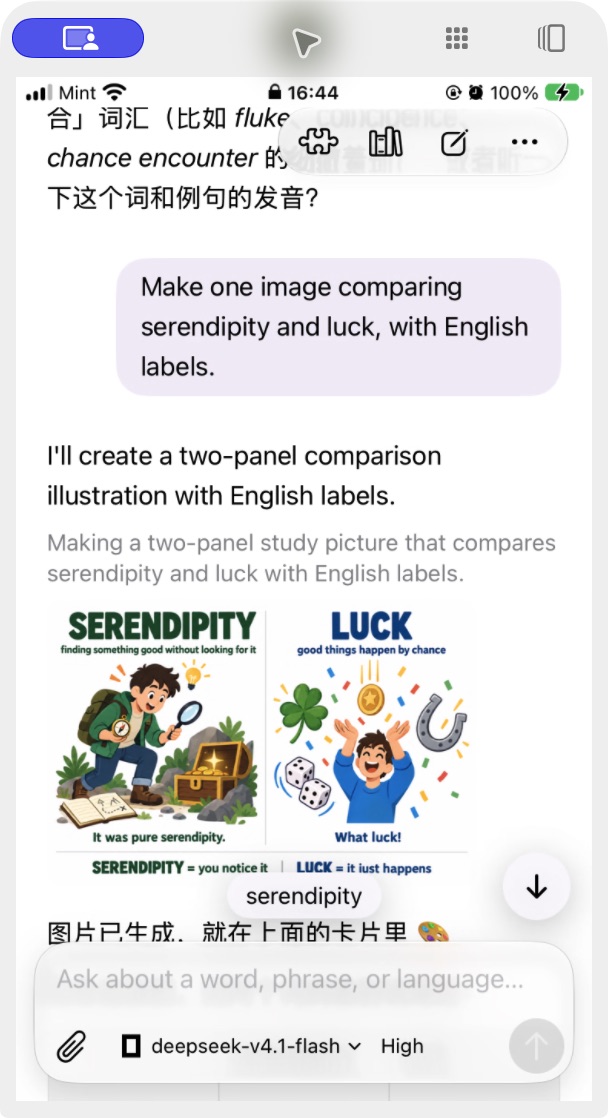
- Images: understanding, generation and editing with provider/model-specific options.
- Audio and media: transcription, speech synthesis, music and video generation, including saved handles for long-running video jobs.
Providers and model priorities are configured separately for each capability. Support depends on the selected provider, model and account; a model catalog entry alone does not establish a verified live integration.
Optional native tools connect the Agent to supported calendars, reminders, contacts, scoped files, selected media and Mac workflows. Tools are enabled deliberately. Registration does not itself request system permission, and platform, hardware and resource requirements are checked separately.
Native tools
Apps can connect their agents to native system features, from calendars and reminders to files, media and Mac workflows.
| Category | Examples | Total |
|---|---|---|
| Device and environment | Device information, network status, current location, app diagnostics … | 5 tools |
| Calendars | List calendars, search events, create events, update events … | 6 tools |
| Reminders | List reminder lists, search reminders, create reminders, mark complete … | 7 tools |
| Notifications, alarms and timers | Schedule notifications, schedule alarms, start timers, pause/resume timers … | 13 tools |
| Contacts | Search contacts, read contact details, create contacts, update contacts … | 5 tools |
| Files and clipboard | Select files, authorize a directory, revoke directory access, read/write clipboard … | 6 tools |
| Photos, capture and playback | Select/search photos, capture photos, record audio/video, classify sounds, play audio … | 15 tools |
| Screen and display information | Capture a screen, start/stop screen capture, check capture status, read display information | 5 tools |
| Vision and documents | Recognize text, detect barcodes, extract documents, recognize handwriting, check image quality | 5 tools |
| On-device speech and language | Transcribe audio, translate text, summarize text, extract fields, classify text | 5 tools |
| Mac apps and UI | Identify the frontmost app, list windows, read Finder selection, inspect/operate UI elements … | 6 tools |
| Apple Notes | Search notes, read notes, create notes, append to notes | 4 tools |
| Health | Query health samples, read health summaries, list workouts | 3 tools |
| Motion and sensors | Read step counts, detect motion activity, sample device/headphone motion, read compass heading … | 7 tools |
| Haptics and display output | Play haptic feedback, temporarily adjust app display brightness | 2 tools |
Available tools depend on the platform, device and permissions the app enables.
App-owned boundaries
The host app owns credentials, business data, tool registration and persistence. Workspace file tools stay within an authorized root, and local services use the relevant system permissions and user-selected scope. Write-approval callbacks let the host control supported changes. Instruction-only imported skills do not add executable tools.
Apps using it
 Linberry
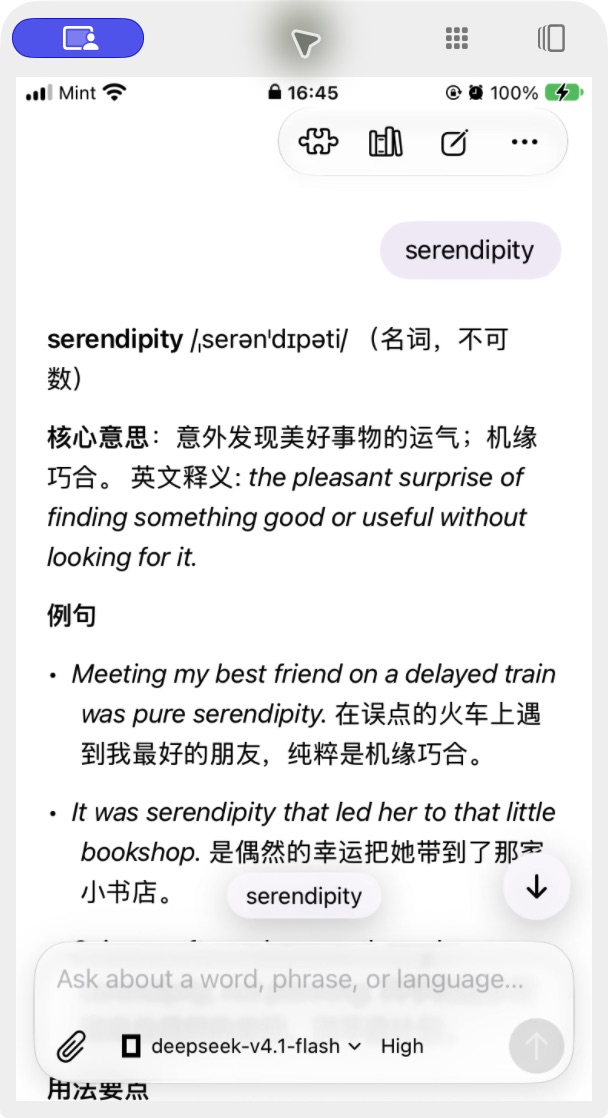
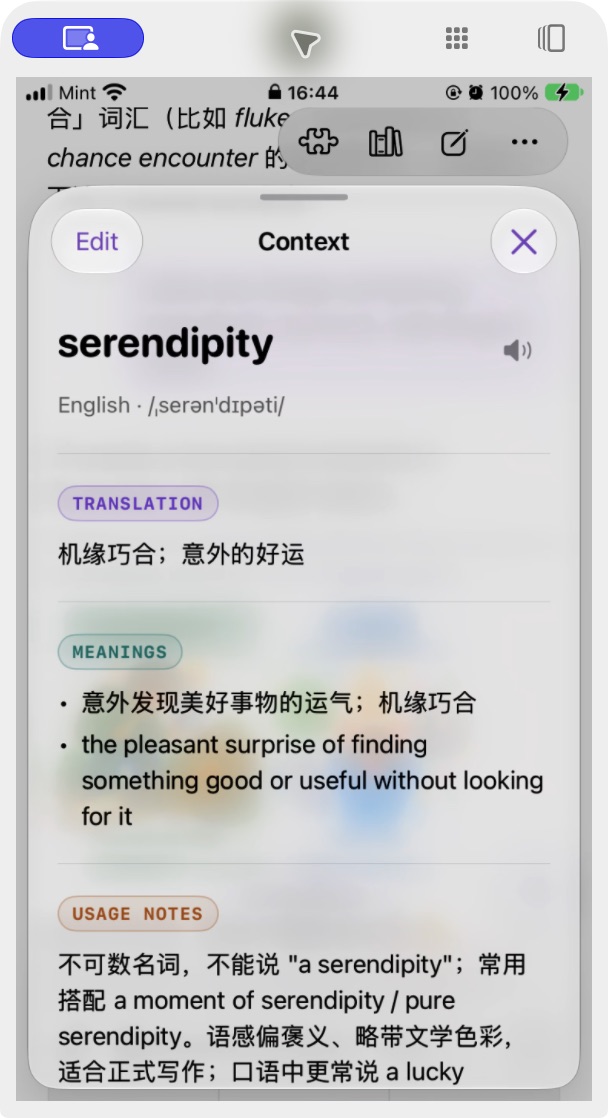
A language-learning app for iOS. Linberry turns a question about a word or phrase into a saved learning point that can be practiced later.
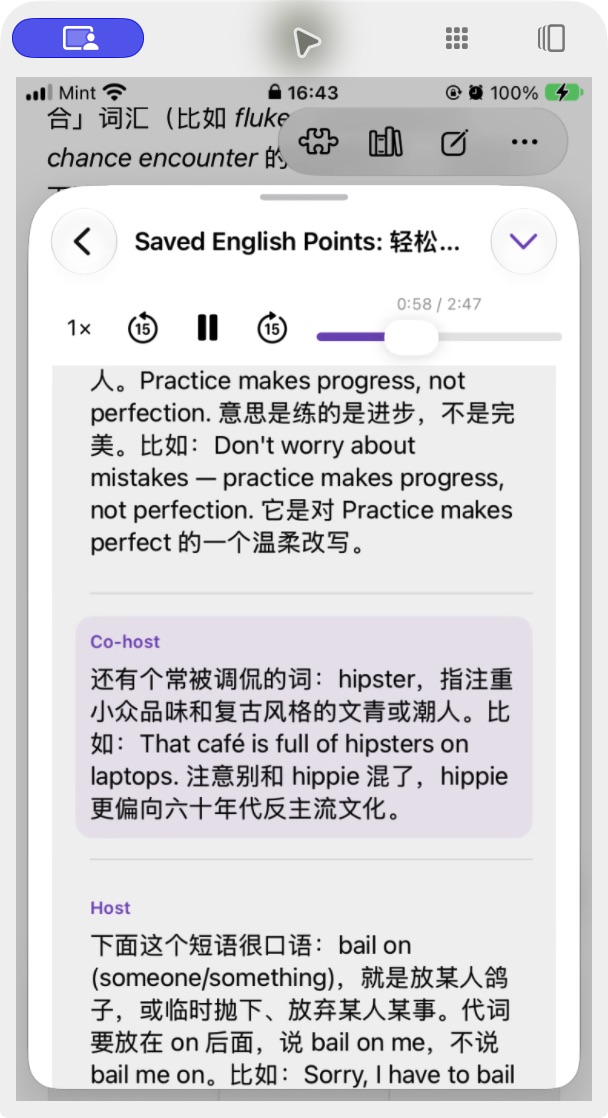
Its tutor saves structured vocabulary, phrases, grammar and usage notes. Learners can review them with flashcards, quizzes, word and sentence games, role-play, or personalized audio lessons with one or two hosts.
The system Translate and Ask Linberry share extensions bring that conversation to selected text in other apps. Translate, Polish, Explain and Reply actions produce follow-up chat and copyable drafts, with read-aloud and original-text replacement where the host supports it. Completed extension conversations and saved learning points import into the main app.
Linberry demonstrates domain-specific tools, persistent study context and shared components across an app and its extensions. Internal TestFlight builds are available; the app has not been released on the App Store.
 Osmanthus
A general-purpose Agent reference app for iOS and macOS. Osmanthus provides a minimal place to use and test ForwardAgentKit’s runtime, chat, provider settings and enabled capabilities.
It combines file attachments and conversation history with image and audio tools, music and video generation, web research, and playback or sharing of generated files. Model and thinking controls, provider connections and capability priorities use the shared UI. Long-running video work can retain a job handle for later status checks.
Osmanthus validates a different integration from Linberry: a general-purpose conversation surface across two native platforms. Local iOS/macOS builds are available; App Store distribution is pending.
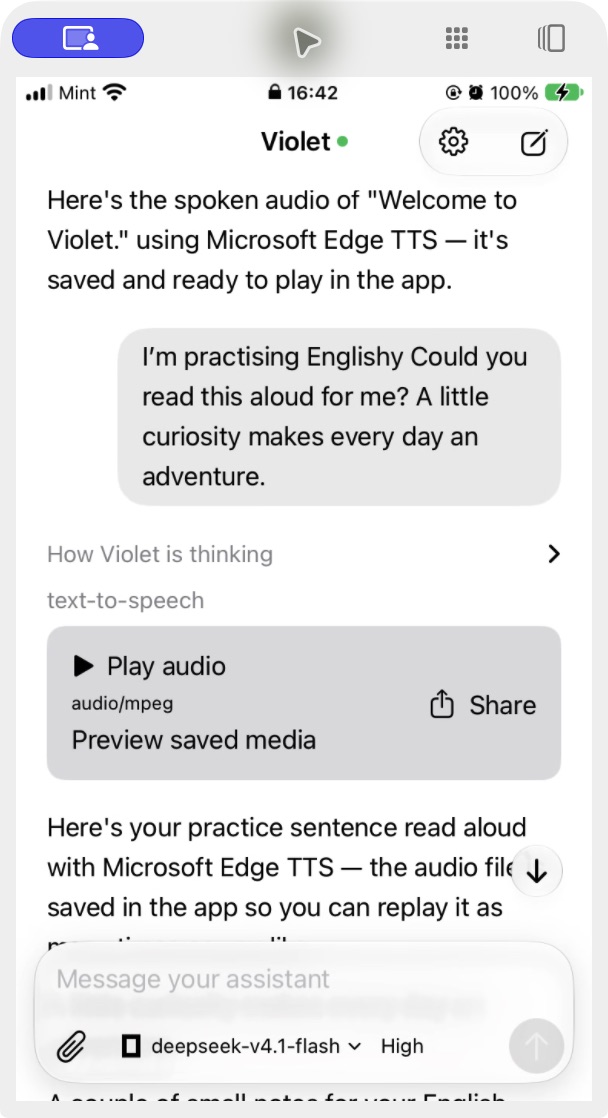
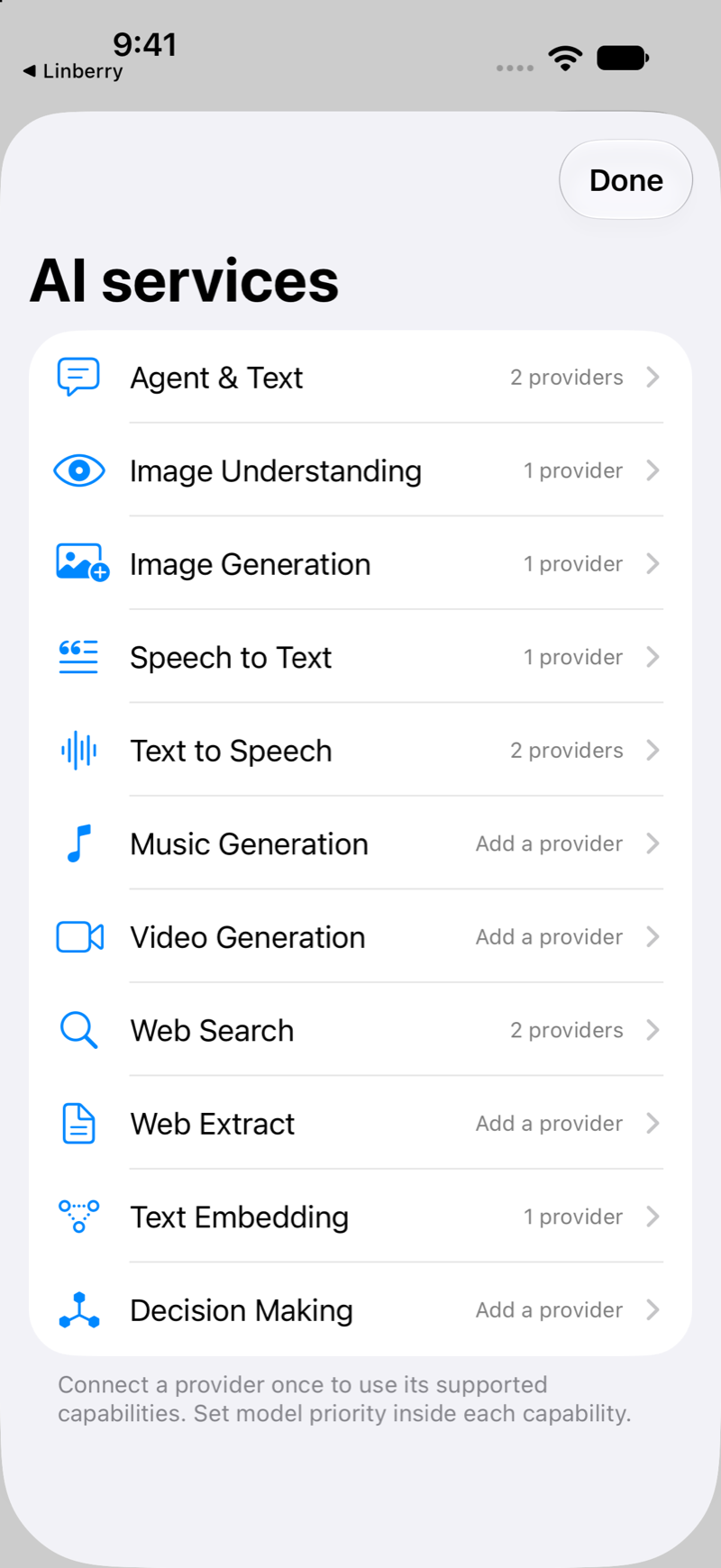
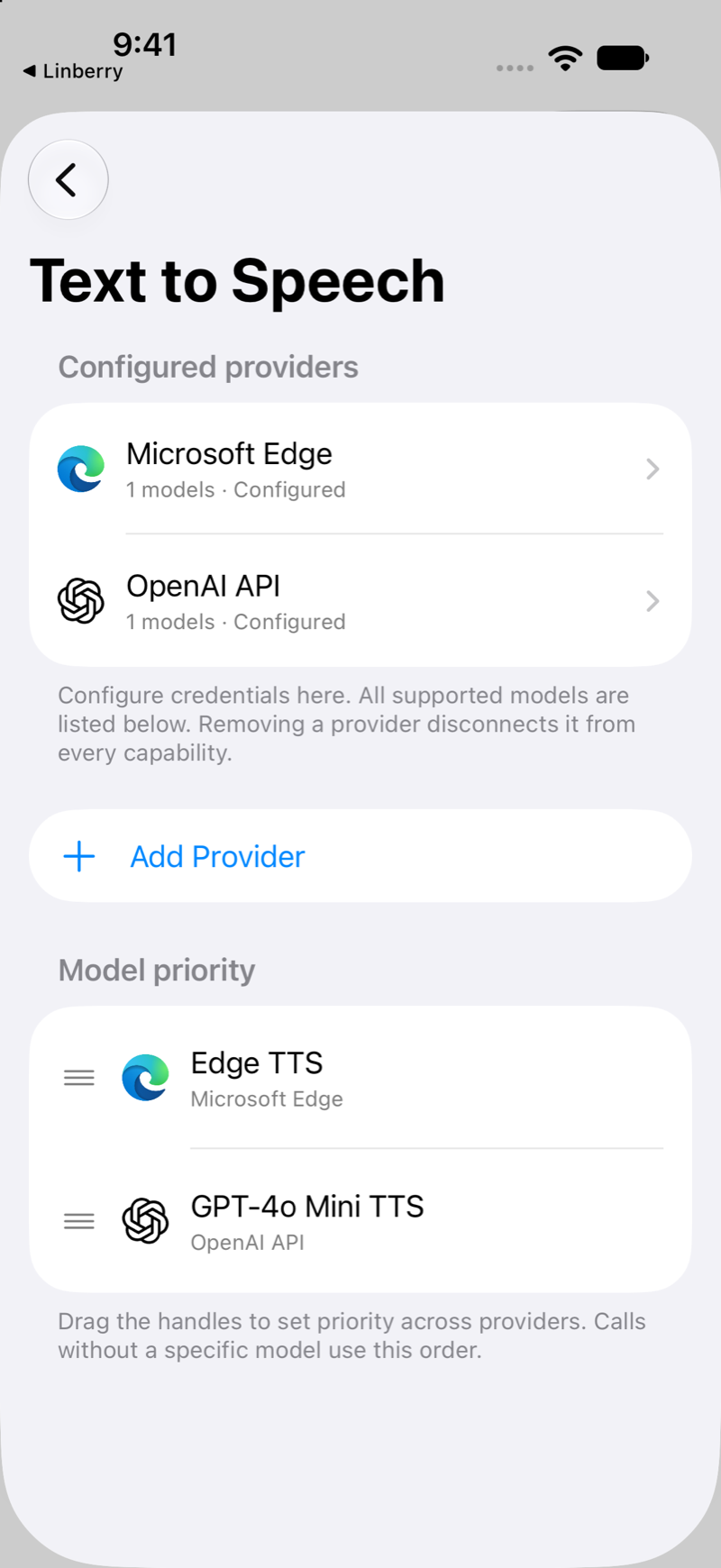
Both apps are in development. The conversation and podcast screenshots come from a real iPhone, with real requests, generated results and a saved podcast. The Osmanthus settings screenshots come from an iOS Simulator with sample settings, captured before the app was renamed. Swipe or use the arrows to browse; click an image to enlarge it.
Development
ForwardAgentKit is a private package in active development. I use automated tests and real app integrations to check the runtime, native tools and shared UI. This page is its public overview and demo showcase.
Stack: Swift · SwiftUI · WebKit · TypeScript · Swift Package Manager · LLM tool calling · native Apple frameworks