
GitHub repo: https://github.com/herrkaefer/micpipe
Voice input is getting popular again (thanks, vibe coding). I tried a few apps (spokenly, 闪电说, Typeless, etc.) and couldn’t decide. Then I realized: the voice dictation inside the ChatGPT web app is already really good. It’s fast, accurate, handles Chinese + English mixing very well.
So I had a thought:
Can I use that as a system-level “voice input method”, and use it for any app?
That thought turned into this little tool: MicPipe.
The idea / workflow is simple:
[You start recording] → MicPipe presses the dictation button in the ChatGPT chat box → [You stop recording] → it presses stop dictation → grabs the text → switches back to your original app → pastes the text.
This solves my problem of choosing.
A few notes:
One hotkey, two modes
My “original invention” 😆
- Hold Fn to talk, release to finish and paste → Hold mode
- Tap Fn to start, tap again to finish and paste → Toggle mode
I’ve seen many apps use two separate shortcuts for “hold to talk” and “toggle on/off”… it doesn’t have to.
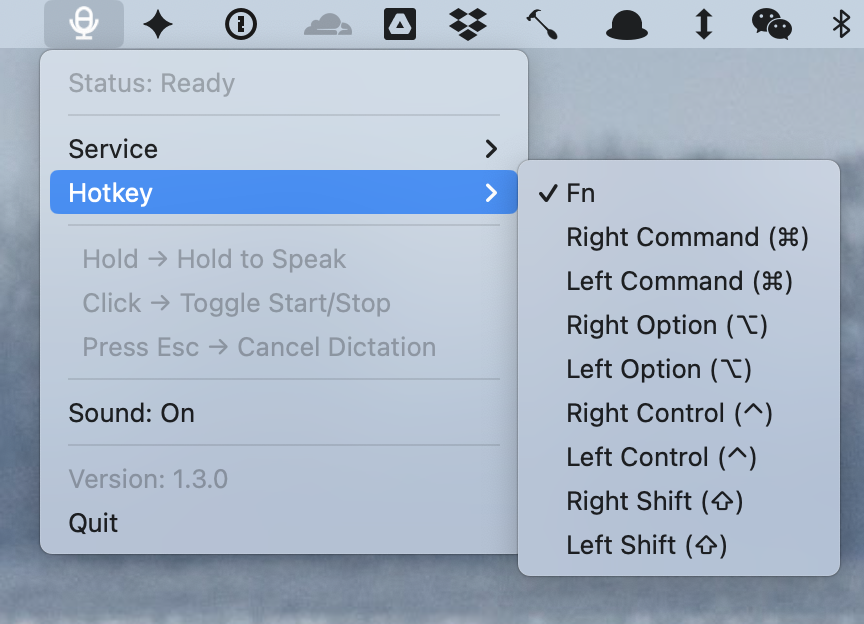
The hotkey is customizable:
ChatGPT & Gemini
Both are supported. But honestly, Gemini’s dictation quality isn’t as great as ChatGPT yet.
AI Pipe
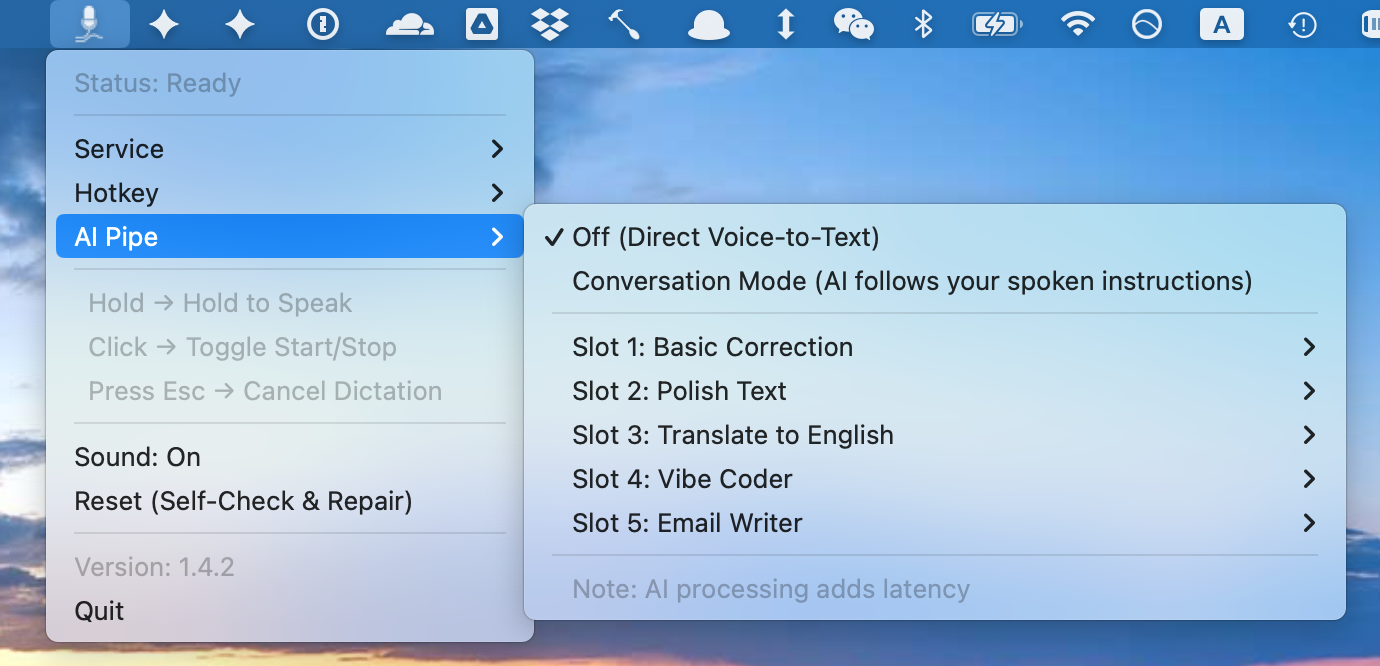
You can send the dictation result into a preset prompt, and then paste the processed output back into the original input box.
There are five preset prompt slots, all editable.
Examples:
- Fix grammar / typos (Grammar Fix)
- Rewrite in a more email-like tone (Email Writer)
- Turn my messy requirements into cleaner “instructions for an AI to code” (Vibe Coder)
Of course, doing a second step makes it slower – This is expected. This can’t beat a cloud workflow that returns a combined result at once.
Not cross-platform
I tried:
- CDP (Chrome DevTools Protocol) — didn’t work. With CDP, ChatGPT couldn’t log in.
- Playwright — also no. In headless mode the microphone can’t be enabled.
So I used AppleScript.
MicPipe opens a “dedicated but minimal” Chrome window for the dictation flow. I place it outside the screen so it doesn’t bother me.
Stability still needs work. Star / PR / fork welcome.